Get your OpenAI API key in 3 steps
PropLink doesn't charge extra for AI. Instead, its AI features (writing listing copy, filling a listing from one sentence or a brochure) run on your own OpenAI key. Set it up once — 3 steps, a few minutes, no IT knowledge needed.
OpenAI charges your card directly — usually a few cents per listing. PropLink adds nothing on top.
1. Sign up at OpenAI and add credit
- Go to platform.openai.com and sign up with Google, Apple, Microsoft or your email. Use the same login every time — your key and credit live in this account.
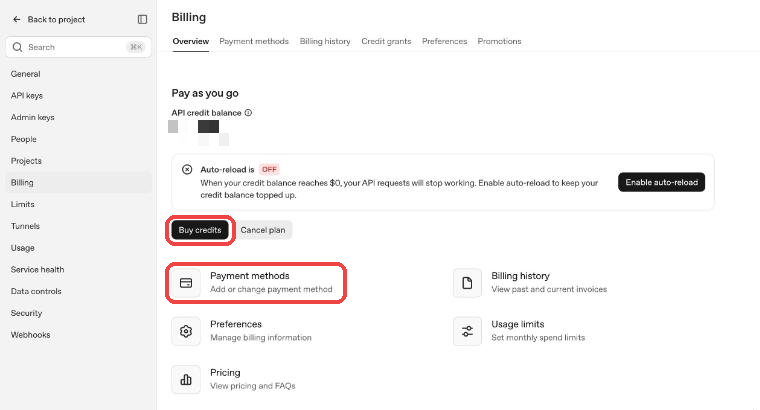
- Click Settings (bottom-left) → Billing → Payment methods, and add your card.
- Click Buy credits. US$5–10 is plenty to start; most agents use only a few cents a week.
- Tip: under Usage limits you can set a monthly maximum so you never spend more than you expect.
2. Create your key and copy it
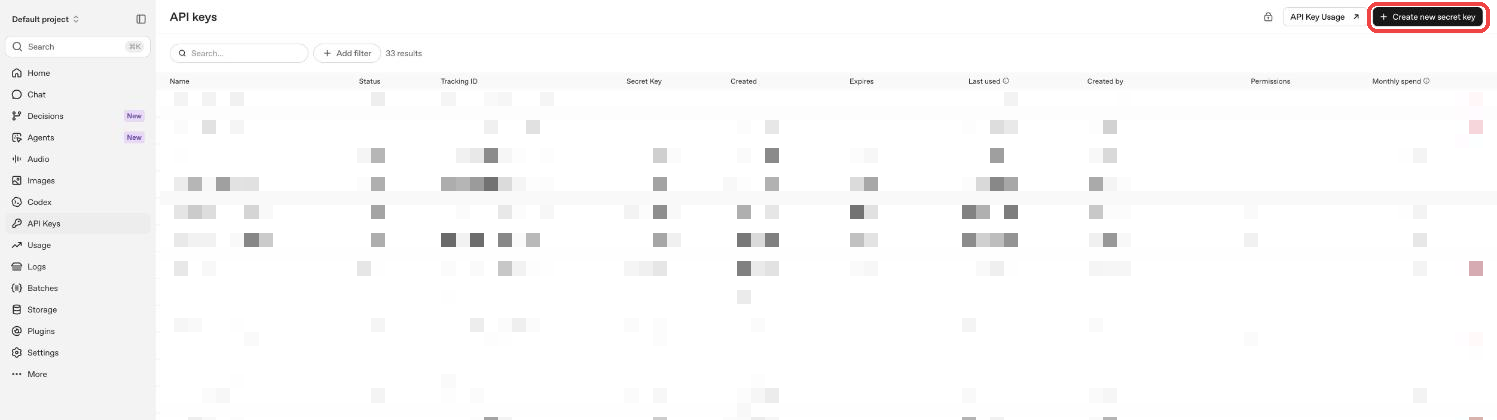
- In the left menu click API keys, then Create new secret key (top-right).
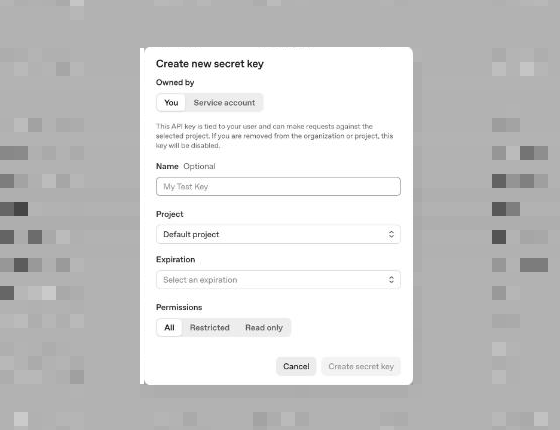
- Name: type PropLink. Leave Project and Permissions as they are.
- Expiration: choose the longest option (or no expiry), otherwise AI stops working when it expires.
- Click Create secret key, then Copy. The key starts with sk- and is shown only once — if you close the window without copying, just create a new one.
3. Paste it into PropLink
- In PropLink go to Settings › AI Settings, paste the key into API Key and click Save.
- Done — open any listing and press ✨ Generate with AI to try it.
Keep your key safe
- • Your key works like a password for your OpenAI credit. Never send it in WhatsApp, email or screenshots.
- • PropLink stores it encrypted and never shows it again.
- • If you think it leaked, open API keys at OpenAI, delete it, create a new one and paste the new one into PropLink.